
- Platform
- Medusa 2.18
- Storefront
- Next.js 15 · React 19
- Data layer
- PostgreSQL · Redis · Meilisearch
- Regions
- India (₹) and United States ($)
- Live site
- AURA&CO storefront
Medusa ships the commerce primitives — products, variants, carts, orders, inventory, payments, regions — as modules behind an API, and stops there deliberately. What it does not ship is everything a fashion retailer thinks of as the shop: a three-level mega menu, filterable garment attributes, size guides, editorial home-page sections, store stock lookup, reviews. AURA&CO is our reference build for exactly that gap — a five-department fashion, homeware and kids catalogue running across two regions, where every retail-specific behaviour is a module we wrote rather than a plugin we hoped would keep working.

Why Medusa for a Catalogue-Heavy Retailer
The argument for Medusa is ownership without a blank page. A SaaS platform gives you a checkout you cannot reach into and a data model you must bend your catalogue to fit. A framework gives you everything to build. Medusa sits between: the commerce core is real, tested and someone else's maintenance burden, while anything domain-specific is a module you define — with its own tables, migrations and service — that the rest of the system treats as a first-class citizen.
That distinction is the whole architecture here. Seven custom modules add roughly the surface area a mid-size fashion retailer needs, and not one of them required forking or patching Medusa itself.
The Backend: Seven Modules That Do the Retail Work
Catalogue: Attributes, Facets and Size Guides
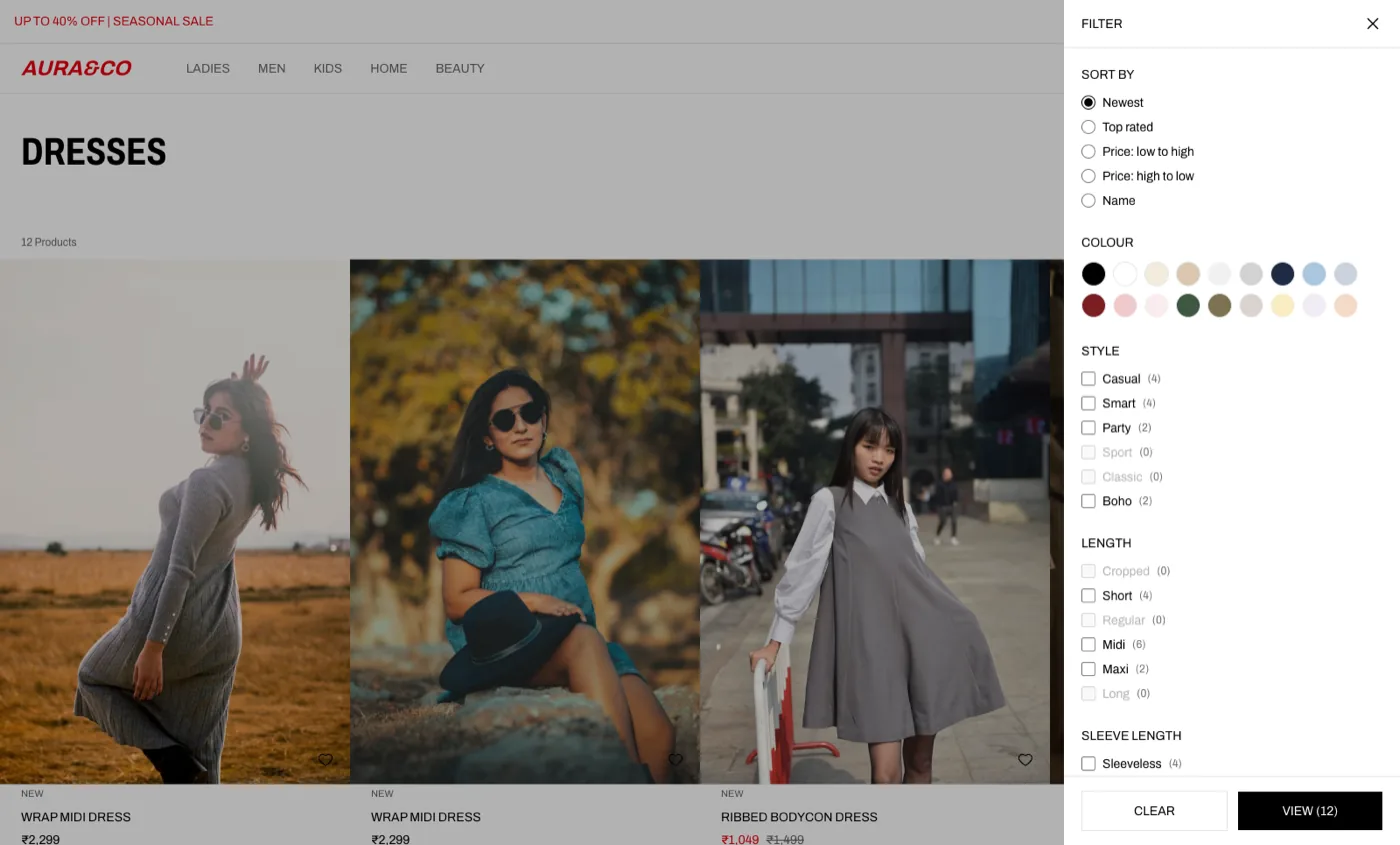
Fashion products carry attributes Medusa has no opinion about — fit, neckline, sleeve length, garment length, material, pattern, occasion, sustainability. We modelled them as an attribute system closer to Magento's EAV: a definition with a machine code, an input type and a set of values, linked to products and scoped to categories.
The point of centralising them is that one definition drives three separate surfaces at once. A flag decides whether an attribute renders in a product-page accordion (and which one — description, materials or details), a second decides whether it appears as a facet on category pages, and a third decides whether it enters the search index. Add “Neckline” once and it shows up in all three places consistently, instead of being defined three times and drifting.
- Category-scoped facets — the filters shown on Dresses are not the filters shown on Bedding, because attributes link to categories rather than applying globally
- Size guides — measurement tables held as rows, attached per category, surfaced from the product page
- Per-product overrides — free-text attribute values for the cases a fixed value list cannot express
Content and Navigation: The Parts Merchandisers Touch
Two modules exist so that the people running the shop never need a developer for a seasonal change. The content module models a page as an ordered list of typed sections — announcement bar, hero slider, sale teaser, stage teaser, product carousel, banner grid, category tiles, rich text, USP strip, newsletter. Each section carries a JSON config, an optional scheduling window and an optional region restriction, so a Diwali banner can be built in advance, limited to the India region, and it will appear and retire on its own.
Section configs are JSON rather than columns because ten section types share almost no fields. The trade-off — no schema-level validation — is paid for at both ends instead: a typed form per section type in the admin, a typed renderer per section type in the storefront.
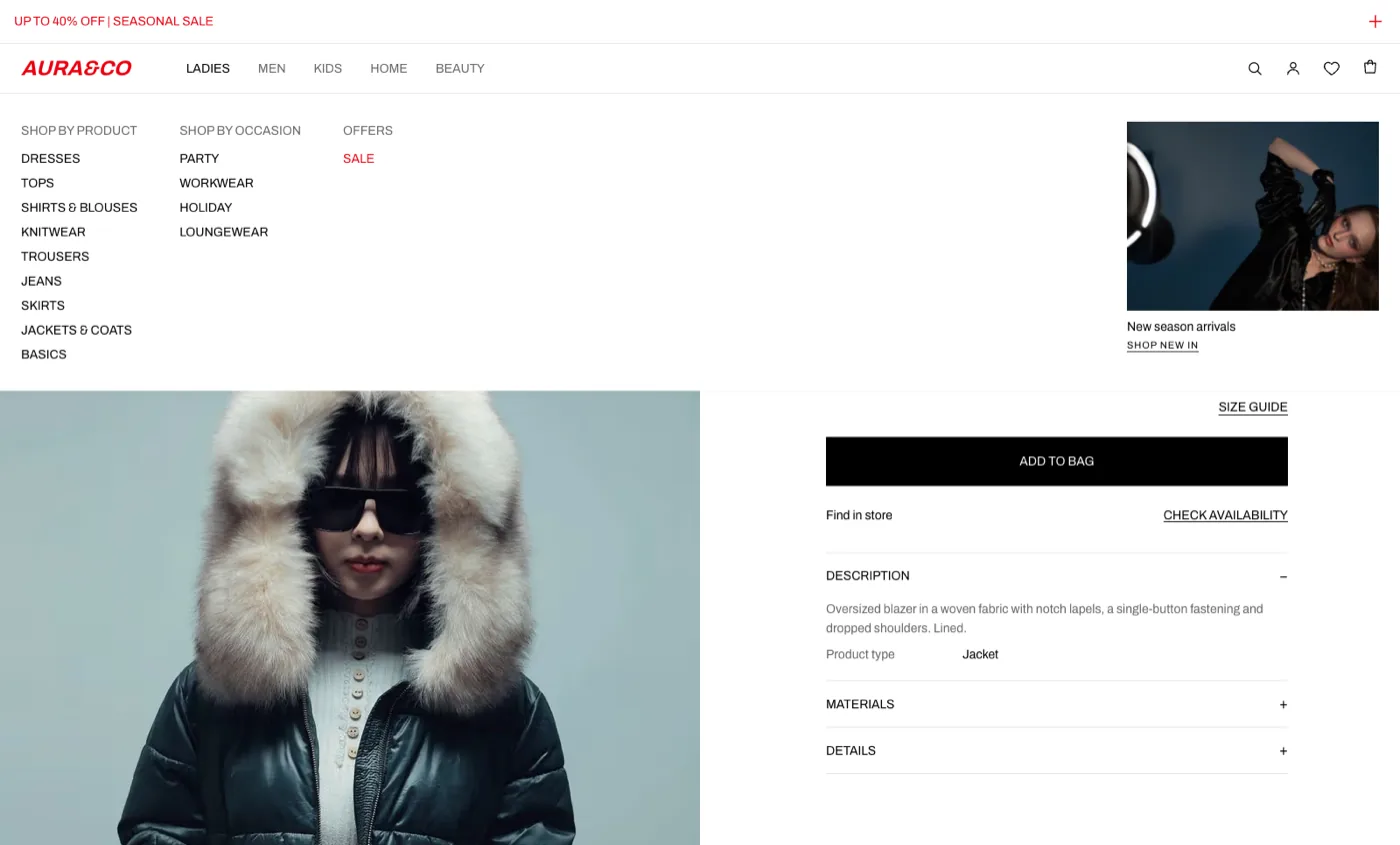
The navigation module holds the mega menu as a three-level tree: top-level department, column heading, link. Links point at either a category or a raw URL, any node can be flagged to render in the accent colour, and the promotional image panel on the right of each menu is part of the same data — image, headline and call-to-action.
Wishlist, Reviews and Real Store Stock
The remaining modules each solve a problem that looks small until you implement it.
- Wishlist — works for guests against an anonymous token, then folds into the customer's list on sign-in. Without that merge, everything saved before registering is silently lost at the exact moment a shopper commits
- Reviews — held against the product rather than the variant, so five reviews do not scatter across five sizes. New reviews land as
pendingand reach the storefront only after a moderator approves them; the verified-buyer badge is checked against order history at submission and stored, so a later refund cannot rewrite it - Store locator — each shop links to a Medusa stock location, so “find in store” reads the same inventory levels checkout reserves against, rather than a second stock table that drifts
The database indexes tell the same story as the code: reviews are indexed on the storefront's hot path (approved reviews for one product), on the moderation queue, and with a partial unique index that allows one review per customer per product while leaving guests unconstrained — because guests have no identity to constrain on.
The Storefront: Structure and Routing
The storefront is Next.js 15 on the App Router, rendering on the server by default. Every route is nested under a country segment, so region, currency and available payment methods are resolved from the URL rather than from a cookie a crawler will never set — /in/ prices in rupees, /us/ in dollars, both fully indexable.
Category URLs are deliberately flat: /ladies-dresses.html, not /categories/ladies-dresses. A catch-all route resolves them after the named routes, so /cart and /account still win. Products sit only in leaf categories, so listing a department rolls its whole subtree up — the tree is walked from the flat category list, because the API only populates child relationships one level deep.
- Home — admin-composed sections, ordered and scheduled
- Department and category listings — 36 per page, faceted, with subcategory tiles and SEO text
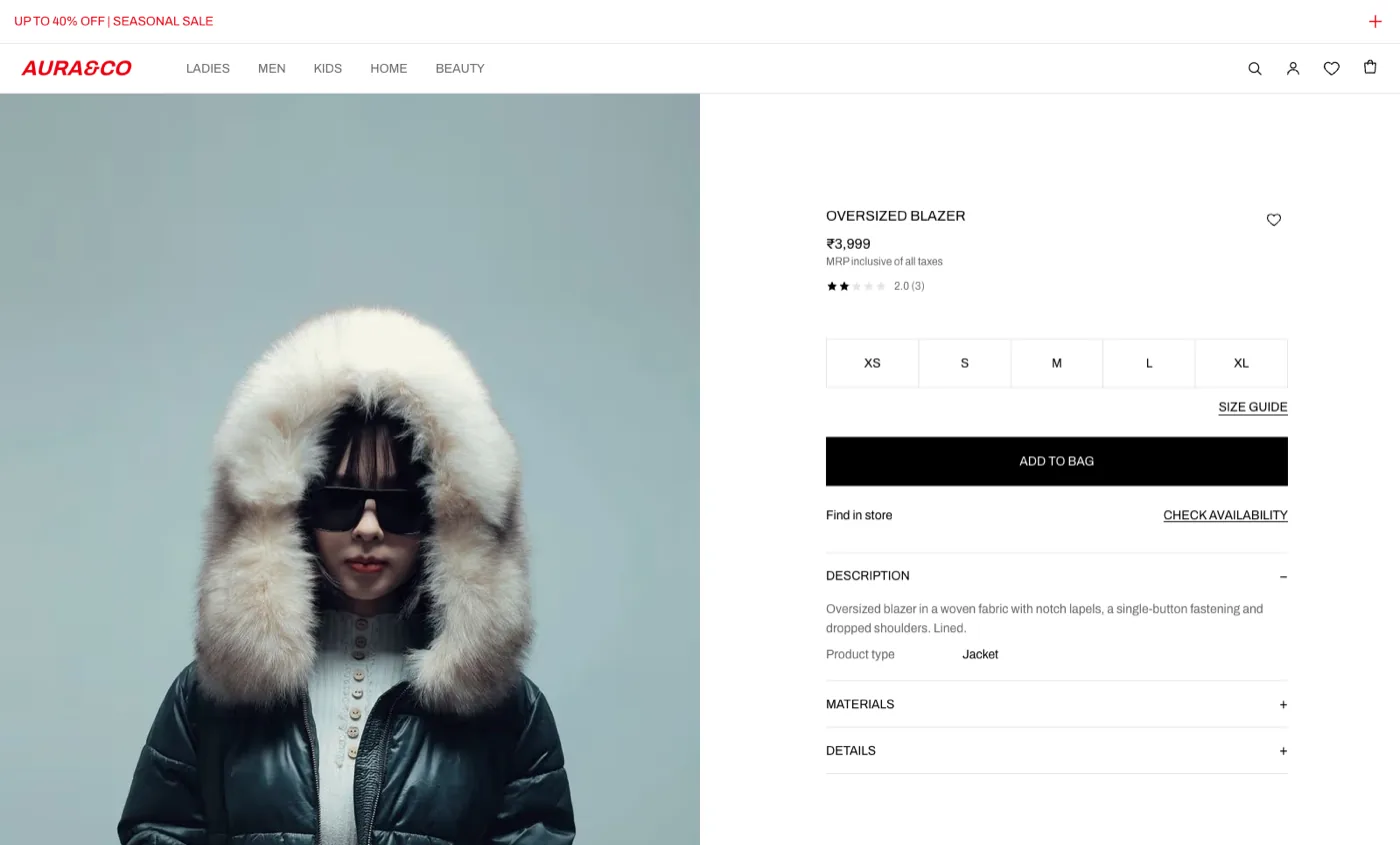
- Product pages — variant and size selection, size guide, attribute accordions, ratings and reviews, find-in-store, “others also bought”, recently viewed
- Search — full results page plus header autocomplete
- Favourites, stores and CMS pages — the store locator, the wishlist and editorial content
- Cart, three-step checkout and accounts — addresses, order history, order detail and order transfer between accounts
Content is cached and served statically, then invalidated by tag: a backend subscriber posts to the storefront when an admin saves, and the affected tags are dropped. Without that hook, a merchandiser saves a banner and the page keeps serving the previous version — which reads to them as “my change did nothing”.
Search, Faceting and Merchandising
Listing and search are the same call against a Meilisearch index. Cards render straight from the returned documents, so a 36-product page costs one request rather than a search followed by a fetch per card, and facet counts arrive with the hits instead of needing a second aggregation pass. Prices for both currencies, stock by size, colour grouping, labels and ratings all live in the document; sorting by rating works because unreviewed products index at zero and fall to the bottom naturally, with no filtering required.
The recommendation rail is the piece we are most particular about. “Others also bought” is computed from actual order history — find the orders containing this product, count what else was in them, rank by frequency. When history is thin the list is topped up from the same category, and the API says which items came from which source, so the storefront can label the rail honestly rather than claiming purchase data it does not have. A newest-in-category rail dressed up as a recommendation is a lie told in a heading.
Performance: What the Architecture Buys
Server-rendered pages, a single search request per listing, image optimisation at the edge of the framework and no client-side data waterfall add up to something measurable. Measured on the home page with Google PageSpeed Insights:
| Metric | Mobile(slow 4G) | Desktop |
|---|---|---|
| Performance | 95 | 100 |
| Accessibility | 100 | 100 |
| Best Practices | 100 | 100 |
| SEO | 100 | 100 |
| Largest Contentful Paint | 2.9 s | 0.5 s |
| Total Blocking Time | 40 ms | 0 ms |
| Cumulative Layout Shift | 0 | 0 |
A zero Cumulative Layout Shift on an image-led fashion home page is not luck — every media slot has its dimensions reserved before the image arrives. Total Blocking Time of 40ms on a throttled mid-range Android is the return on rendering on the server: there is very little JavaScript left to execute, because the page did not arrive as an empty shell waiting to hydrate. That discipline is the same one we apply in page-speed work on every platform.
What the Admin Team Actually Gets
Custom modules are worth little if operating them means SQL. Every module has an admin surface inside Medusa's own dashboard rather than a bolted-on second tool: attribute and size-guide management with per-category facet selection, a section builder for composing and scheduling home and landing pages, a drag-ordered navigation tree, the review moderation queue, and store management.
Product and category pages gain widgets in place — attribute values on the product, content and facet configuration on the category — so the work happens where a merchandiser already is. That is the practical test of a composable build: the buying team changes the shop without filing a ticket, and the engineering team is not the bottleneck for a banner.
The Trade-Offs Worth Naming
Composable is not free. You own the modules you write, their migrations and their upgrade path. Redis is not optional past a single process — cache, event bus and workflow engine all move onto it, because the in-memory defaults silently drop events once the server and worker split. Search is a second system to run and reindex. Co-purchase ranking is computed in memory over a bounded scan of recent orders, which is the right trade at this catalogue size and the wrong one at ten times the volume, where it should be precomputed on order completion.
None of that is an argument against the stack. It is the argument for going in with the operational cost written down, which is how we scope every headless commerce engagement.
Considering Medusa for Your Catalogue?
If you are weighing a composable build against staying on SaaS, the useful conversation is not about the platform — it is about which parts of your commerce logic are genuinely yours and which are commodity. Talk to our engineering team and we will come back within one business day with an honest read on scope, sequence and cost.